
1. Creating the instructions
Instructions are stored locally in your Jira Service Desk instance. Creating a new instruction is a guided process for administrators and is built into the tool. Each request type in the service catalog (customer portal) can have a dedicated instruction page.
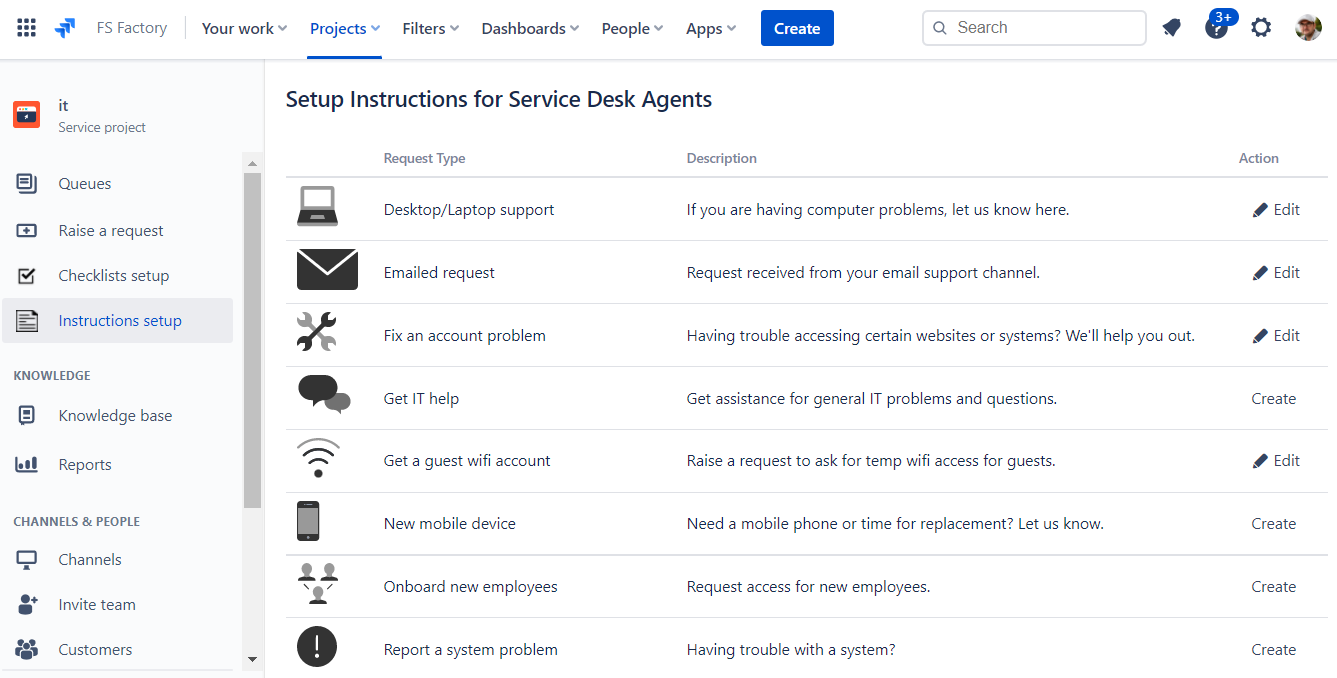
- Open your Jira instance and navigate to the Service Desk project. In the left menu, select "setup instructions".
- Select the request type for which you want to define instructions and click "create".
- Enter the instruction text and click "save".
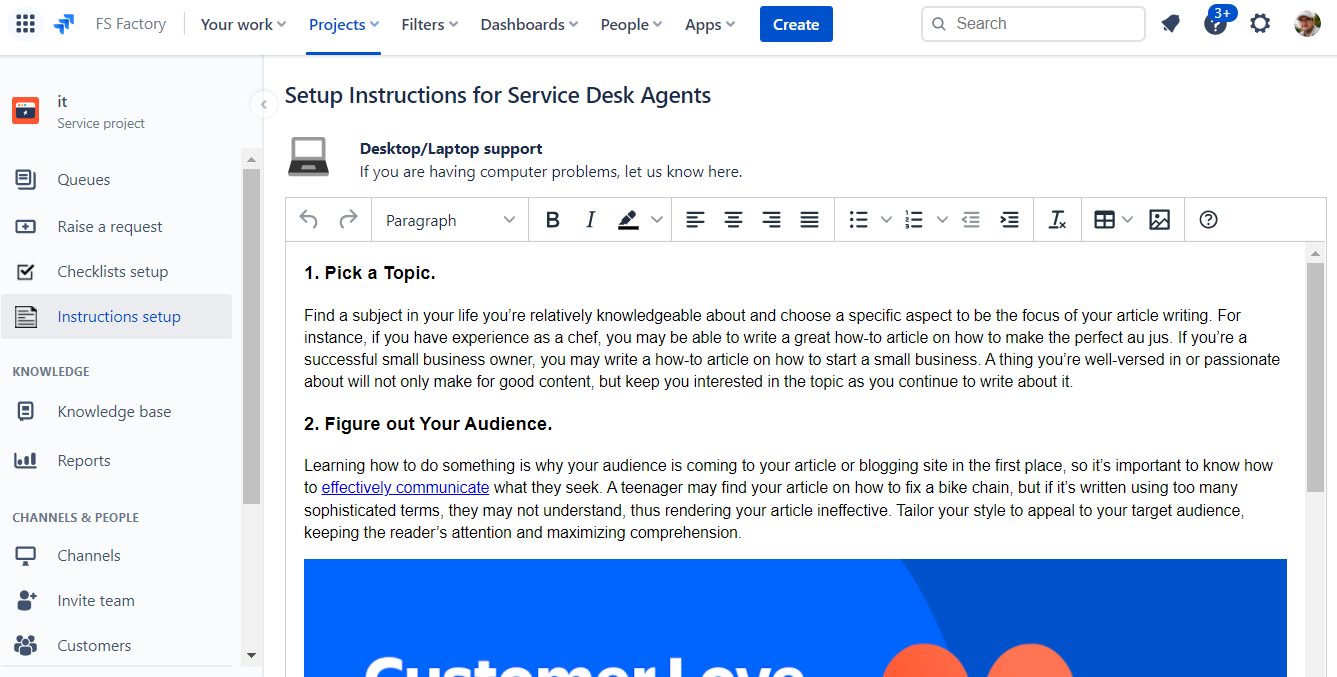
2. Using the instructions
Instructions are displayed by default below the request description.
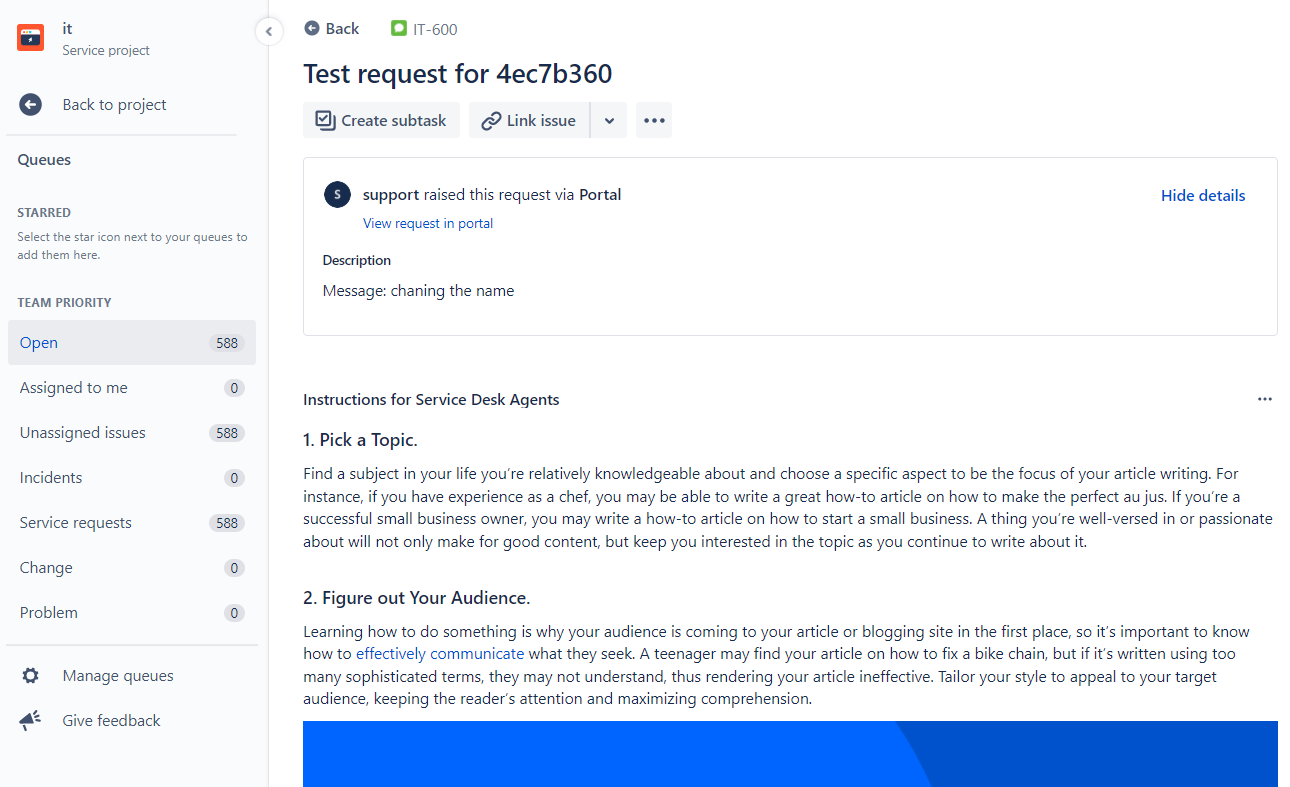
3. Data privacy policy
The general privacy policy is available here. The Service Desk Instructions app stores all data in the client's Jira Service Desk cloud instance. Information is stored in Jira project properties. The app does not transfer or process any information outside of the client's Jira Service Desk cloud instance.
4. Frequently asked questions
Please use the support form on the JS Factory homepage if you have any additional questions.
- Does the app work with on-premises Jira Service Desk? No. The app is designed for Jira Service Desk Cloud only.
- Does the app work with Jira Core? No. The app is designed for Jira Service Desk Cloud only.